
How to authorize a representative for your CRA account
Log in to your CRA account
Access your personal CRA account by logging in through this official CRA link. Choose your usual login method. This may involve answering a security question, receiving a text message verification on your phone, or logging in through your bank account, depending on your selected login settings.
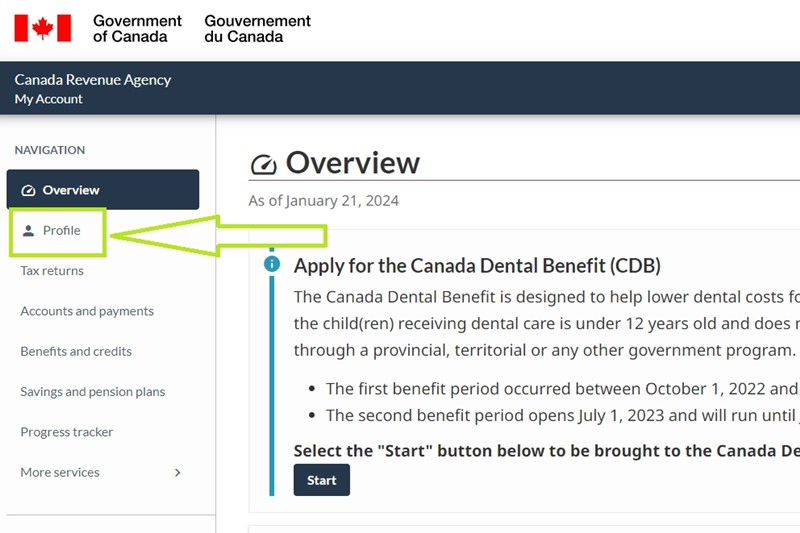
Go to Profile on the left menu
Once logged into your CRA account, navigate to ‘Profile’ in the left menu, usually located below ‘Overview’. Refer to the accompanying picture for guidance.
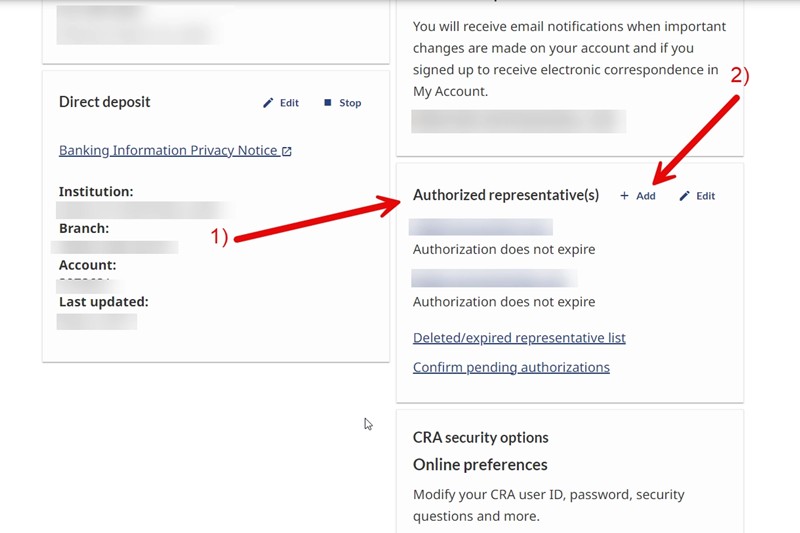
In your Profile, on the right column find “Authorized representative(s)”
Locate “Authorized representative(s)” in the right column within your Profile. You might already have some representatives listed here, and you can manage or remove them at any time from this section. Once you’ve found “Authorized representative(s),” click on “Add” to include another representative.
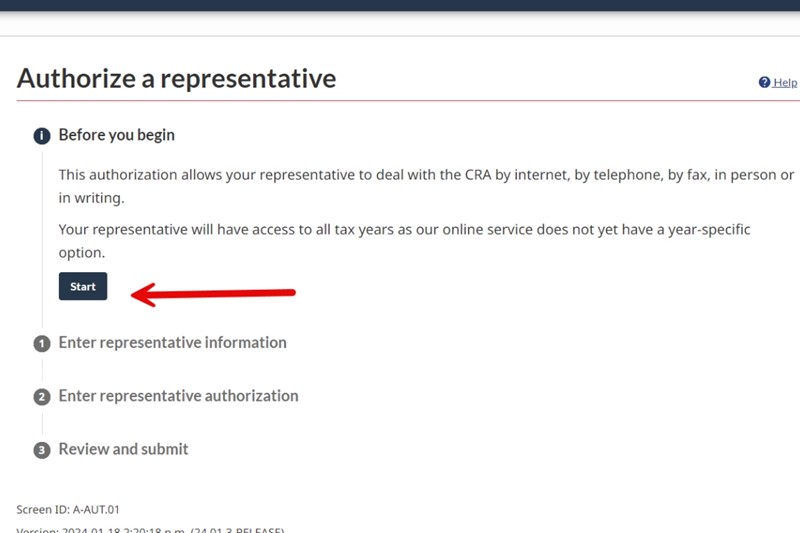
Click on the Start button
Read the information provided by CRA and click on the Start button to authorize a representative.
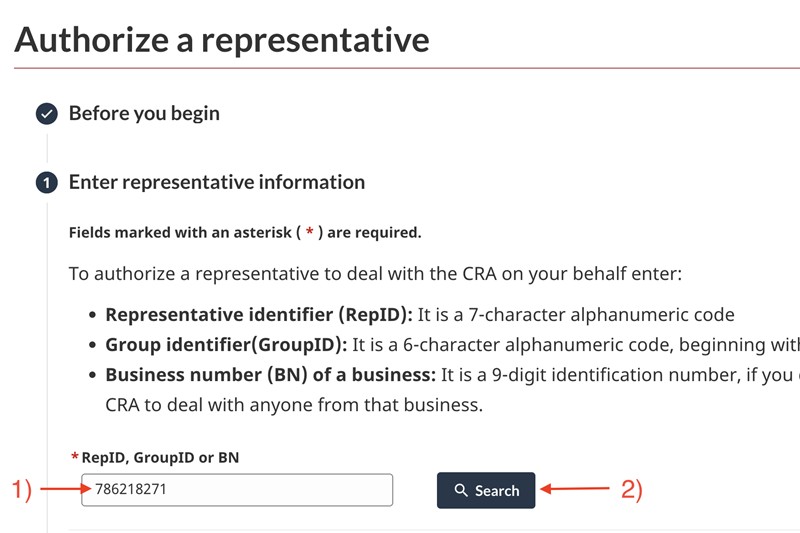
Enter the CM&A Bookkeeping and Tax Services Inc. Business Number
Enter the CM&A Bookkeeping and Tax Services Inc. Business Number (786218271) as your representative and click on‘Search’. Our information will appear after you enter the business number and click the ‘Search’ button.
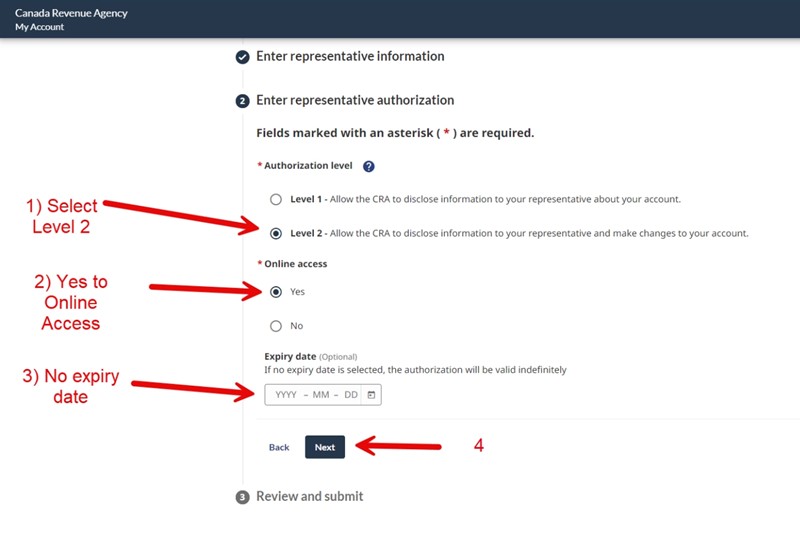
Select Level 2 and “Yes” to Online Access and No Expiry Date
Choose Level 2 and select ‘Yes’ for Online Access, and opt for ‘No Expiry Date.’ We strongly recommend Level 2 with Online Access and No Expiry Date. Avoid setting an expiry date, as it will require you to repeat the process when needed.
Remember, you can modify or cancel our authorization anytime from this platform.
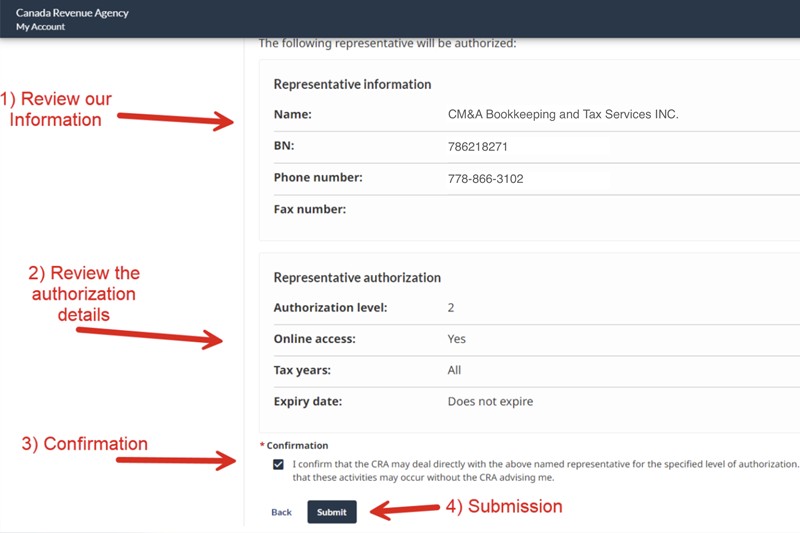
Review the information and submit it.
Review your business information and the details of the authorization level. Confirm the accuracy of the information, and then submit the authorization request.
You have successfully authorized a new representative: CM&A Bookkeeping and Tax Services INC.
After submission, you should be directed to a confirmation screen.
Typically, you should receive an email from CRA confirming the change in your authorized representative. The email will resemble the following example:
The authorized representative information on file with the Canada Revenue Agency (CRA) has changed for:
77########RT0001
You can view the new information on the Business profile page in My Business Account to ensure it is correct.
If you do not have My Business Account, go to the CRA website to register.
If you did not make this change please call 1-800-959-5525.
If you are calling from Yukon, Northwest Territories or Nunavut call 1-866-841-1876.
If you’re calling from outside Canada and the United States, call us collect at 613-940-8497.
The TTY (teletypewriter) number is 1-800-665-0354.
This is an automated email message. Please do not reply.